
Billing that runs itself.
Invoices go out on your schedule, members and residents pay online through Stripe, and the money lands in your bank account.
How the money moves.
No monthly fee
No subscription, no setup fee and no charge per member or per location. Co-Desk earns 2.5% on each payment processed through Stripe, on top of Stripe's own processing fees.
Paid straight to you
Payments run through your own Stripe account with Stripe Connect. Payouts go directly to your bank account, and the Co-Desk fee is taken automatically, so there is nothing to reconcile.
Cannot use Stripe?
If Stripe is not an option in your country or for your company, ask about the Custom plan. It uses other payment processors with a fixed monthly fee.
Invoices
Invoices go out on their own.
Membership and rent invoices are created on the schedule you set. For anything else, your team writes a draft and publishes it when it is ready. An issued invoice never changes.
- Recurring invoices for memberships and rent
- Automatic retries when a payment fails
- Scheduled payment reminders
- Pro-rated charges when a plan changes mid-cycle
Checkout
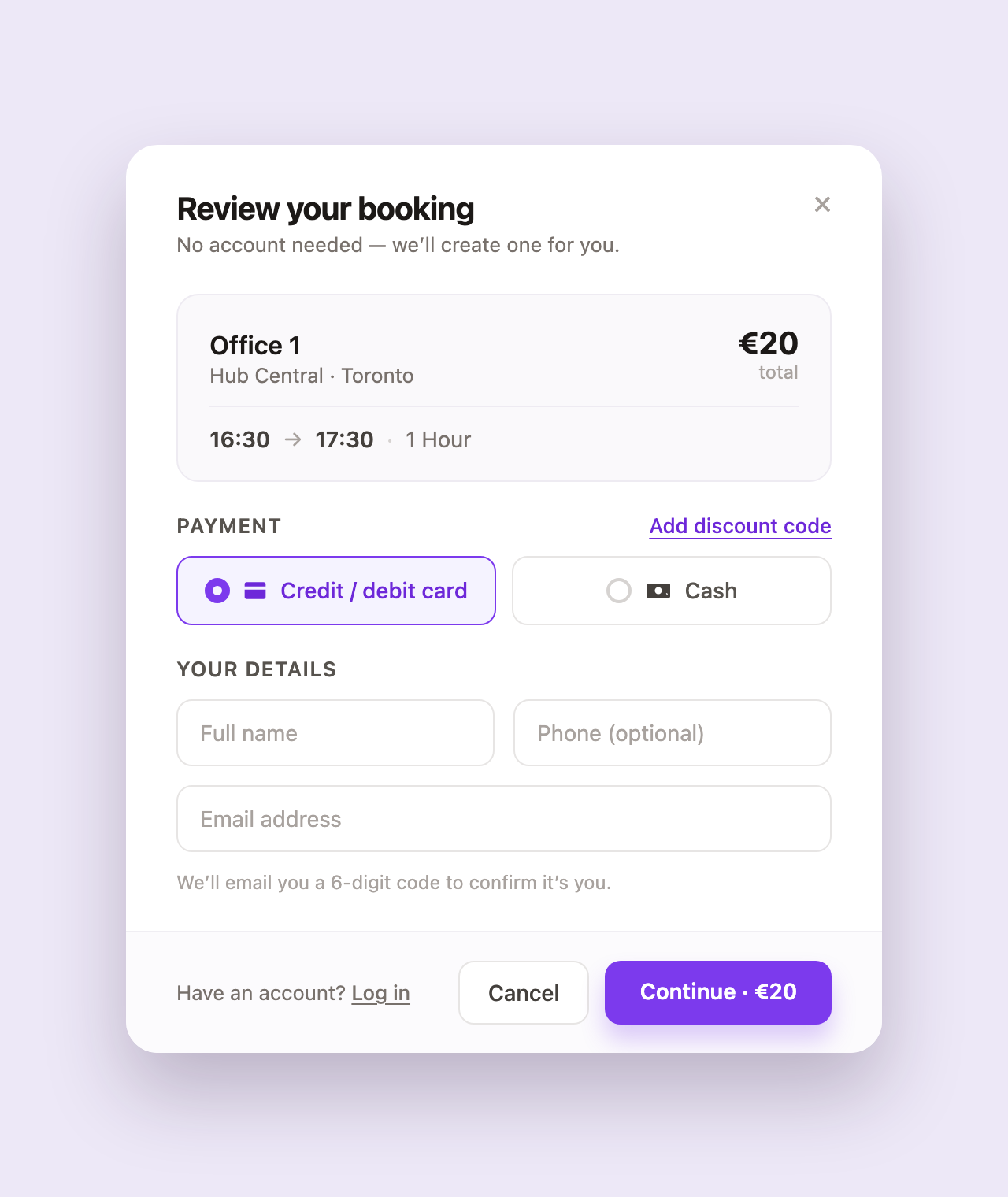
Bookings are paid when they are made.
Members and visitors pay as they book, with a card or with credits. A visitor does not need an account first: they confirm their email with a 6-digit code and pay.
- Members pay open invoices from the booking page
- Promo codes at checkout
Credits
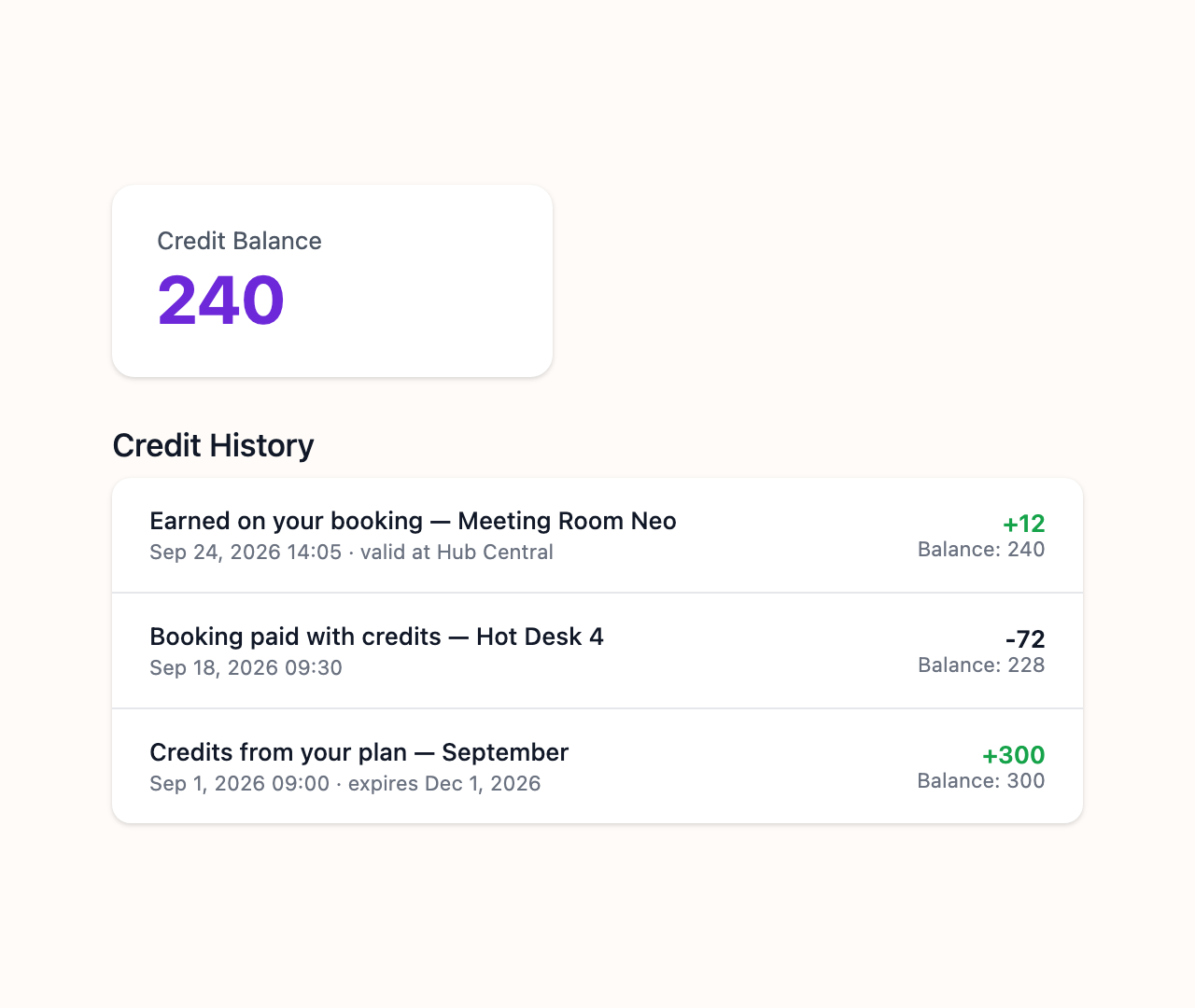
Credit wallets for members and companies.
Members and companies top up a wallet and pay for bookings with credits. You decide how many credits each euro paid earns.
- One shared wallet for a whole company
- Rewards: credits earned for every euro paid
Everything in billing.
Coworking revenue
Every way a space earns.
- Membership plans with their own billing cycle
- Day passes and pay-per-use bookings
- Meeting room bookings paid at checkout
- Event tickets
- Company accounts with one billing contact
Coliving rent
Rent collected on time.
- Monthly rent invoices sent automatically
- Reminders, and online payment for residents
- Utilities split among residents
- Extras and late checkout on the same invoice
Payments
Through your own Stripe account.
- Cards, bank transfers and local payment methods
- Payouts straight to your bank account
- Guest checkout without an account
- Members pay open invoices from the booking page
- Deposits and refunds
Pricing rules
Set once, applied everywhere.
- Different prices by hour, day or week
- Peak-hour rates
- Volume discounts
- Prices for each member tier
- Credits earned for every euro paid
Reports
Know where the money comes from.
- A ledger of every charge, refund and payout
- Filter by member, location, date or status
- Revenue by location, plan or space type
- Monthly recurring revenue and payment success rate
Several locations
One system for all of them.
- Each location can have its own Stripe account
- One overview across every location
- No fee per location
- One member profile and payment method everywhere
Questions.
- What is coworking billing software?
- Coworking billing software creates and collects the invoices a space sends: memberships, day passes, meeting rooms and events. Co-Desk sends recurring invoices on your schedule, takes payment through Stripe and retries failed payments automatically.
- How do I automate rent collection for a coliving house?
- Set each resident's rent and billing day once. Co-Desk sends the invoice every month, reminds the resident, and they pay online. Extras, utilities and a late checkout go on the same invoice.
- What does Co-Desk charge?
- No monthly fee. Co-Desk earns 2.5% on each payment processed through Stripe, on top of Stripe's own processing fees. The fee is taken automatically before the payout reaches your account.
- Where does the money go?
- To your own Stripe account, and from there to your bank account. Co-Desk uses Stripe Connect, so the money does not sit with Co-Desk.
- Do I need a Stripe account?
- Yes, for the pay-as-you-go plan. Connecting Stripe takes about five minutes during setup. If you cannot use Stripe, the Custom plan works with other payment processors.
- Can I invoice a company instead of each member?
- Yes. Group members under a company account with one billing contact and a shared credit wallet.
Ready to simplify your space?
Sign up free. Only pay when you get paid.
No lengthy onboarding. Just your space, running smoothly.